


 Bridge 5
 Bridge 5
EPS & PostScript export
EPS export

You can (and as a rule should) add a preview image to an EPS file. What does this mean? - If you place an EPS into an EPS processing program, this program usually only checks the size of the EPS by reading its header information. You will only see a grey rectangular frame afterwards, which then serves as a placeholder for the actual EPS data.
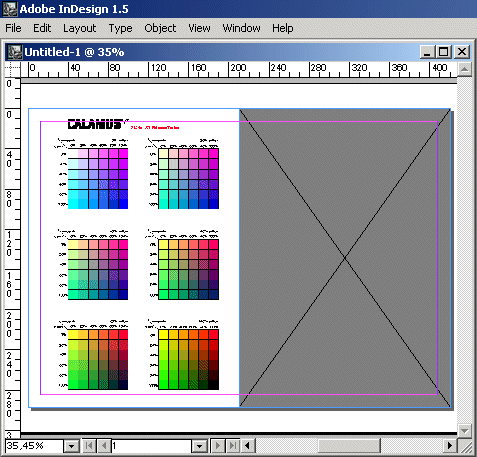
If the EPS file contains a preview image, then most programs can read this and display it instead of the grey placeholder. As far as handling is concerned, everything usually stays the same - even with a preview image the EPS can be placed only in many programs, but not edited. But you will at least see a preview of the EPS data contents.
Whenever Bridge creates a preview image, then in principle a "snapshot" is made of the frame or the page to be exported. You have to choose the image resolution and colour depth for the preview image here. Usually RGB images of 72 dpi resolution are preferred. Higher resolutions are not required for screen display and only increases the EPS file size.