


As already mentioned before, you can personalize documents of any size and length with PersoNum. On on side, your document can even have e.g. 5'000 pages. On the other side, this doesn't mean that you have to output all these pages when personalizing.
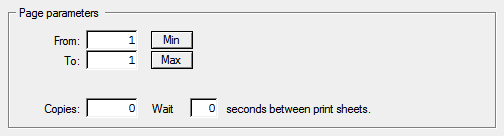
In this section of the dialog you define which pages of the document you want to output.
If you do not only want to output the document once per personalization task, but need more copies of the same, identically personalized document, you should enter a value higher than Zero right here.
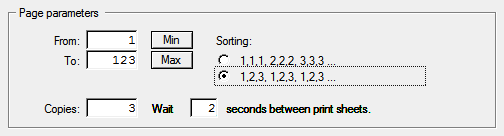
As soon as you want to create copies, the question comes up how to sort the various pages and copies on output. Choose one of the two offered sorting modes.
If you use a slow printer machine (and a fast Calamus
computer), chances are that the printer slurs
pages due to fast
page proceeding or for other reasons. Then you should add a waiting
time right here. PersoNum will wait for the given time interval before
it automatically continues printing.
You can also use this waiting time value to simulate double-sided printing on printers who do not support automatic double-sided printing. Therefore, you define a generous waiting time and use this time to rotate the paper which has already been printed on its frontside and feed it to your printer again.

