


When you click on this icon, the RTF export process will start. For this a normal text frame has to be selected beforehand from which the text is to be exported.
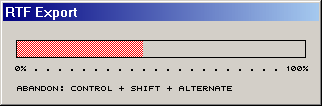
While the driver is exporting the data, you will see a growing bar that indicates the progress of the export function. You can terminate the process at any time by pressing the [Ctrl]+[Alt]+[Shift] key combination.
The RTF export is deliberately kept very simple. Only the text, simple style information and the basic settings of the rulers (ranged left, centered etc.) will be exported.
The RTF export function does not yet support footnotes!

