


In this dialogue, you can set the character size, the italic angle, and the font. It is applied immediately to any selected path text object, and the settings will be used for new path text objects.
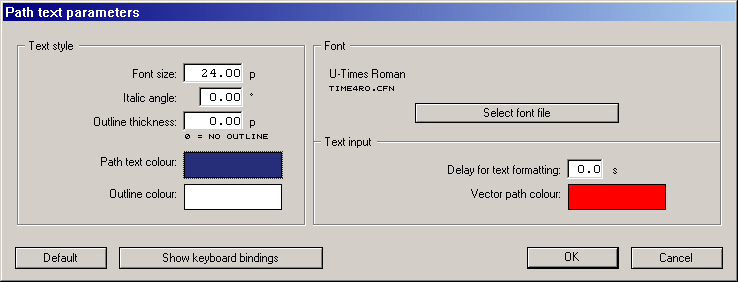
The Font
area of the dialogue shows the name of the font
that is currently selected. If the font name is blank, or contains a
font that you do not want, then the [Select font file] button can be
used to select the required font.
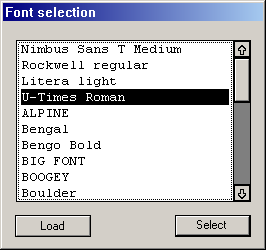
Clicking the [Select font file] button brings up the Font
selection
dialogue which presents the list of fonts that are
already installed in the document. If another font is required, the
[Load] button opens the file selector from where a new font can be
installed into the list.
Now click the required font in the list, and its colour inverts.
Click [Select], and that font name will be placed in the Name
box of the Text parameters
dialogue, to be used for the text
objects.
The Font size
setting refers to the versal height, which
you can enter in millimeters. The Italic angle
setting affects
the skew of the characters, either in the positive or in the negative
sense.
If you enter a negative angle here, then the character is skewed to the left. With a positive angle, all characters are skewed to the right. The maximum range of the italic angle is –45 to +45 degrees.
The [OK] button installs the currently set parameters. If you have a text path object open for text editing, then you can see your changes immediately on the screen.
The [Cancel] button will close the dialogue without changing any of the path text parameters.
