


Normally all pages in a new document will be assigned a standard master page, an empty one. This command allows you to change to the master page of your choice. First, select a master page from the master page list and then click on this icon. You will see the following dialog box:
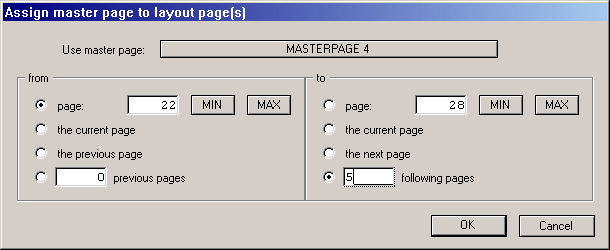
Just enter the range of pages to which the master page will be assigned into the editable fields.
