


With the Edit layer group list
button in the Create
empty layer
and Copy layer
dialogs you can reach the layer
group editing functions.
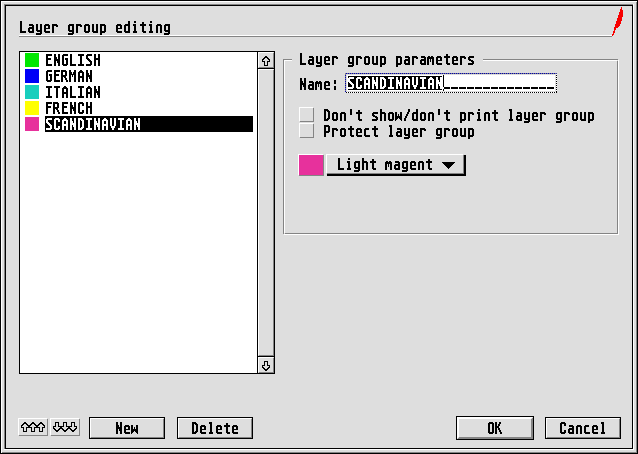
In this dialog you can create and organize new layer groups. A
click on the New
button creates a new layer group. You can then
give it a name, assign a colour ID to it and set whether this layer
group is not to be displayed/printed, or should be protected.
When creating a new layer group, no existing layer is yet assigned
to the group. This is not done in this dialog, but set for each layer
individually in the Rename layer
dialog. You can reach that
dialog if you hold down the [Alternate] key while you click on a layer
name in the layer list of the Layer editing function group.
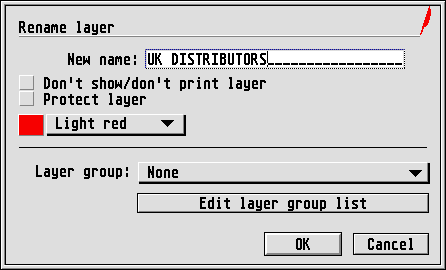
In the Layer group
popup menu you can assign the selected
layer to a layer group (or revoke such an assignment again).
