


This function allows you to change the position of one or more pages in your document. The pages (including text piping chains) will be removed from one position and placed in another.
When you click on the Move page(s)
icon, the following
dialog box will appear:
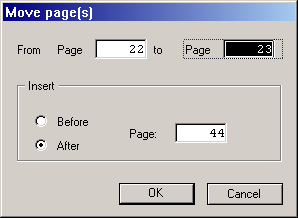
Enter your desired values here (as for Copy page(s) above) and confirm them with [Return] or a click on [OK].
The operation of this function and particularly how piping chains are affected should be clarified with an example: Let's say you have a three page document whose text frames are linked by a piping chain. If you move the third page before the second, the text flows from page 1 to page 3 and from there to page 2. If a block of text was deleted from the first page, text would flow back from the third page to fill the gap, and text from the second page in turn would flow back to fill the third.
Moving pages of double-sided documents has the usual effect (see Double-page problem). Please take note of the information given there.
